Business

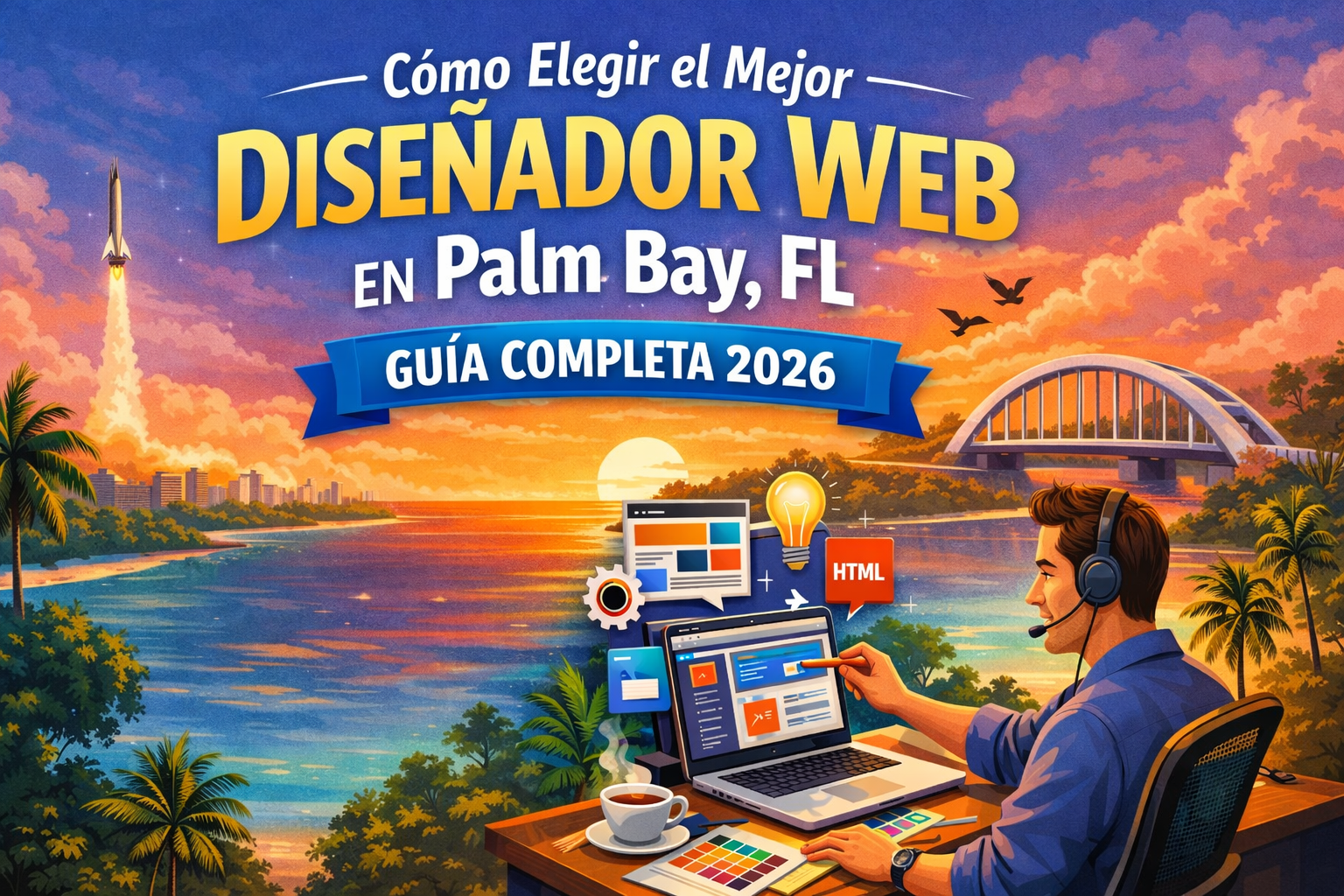
How to Choose the Best Website Designer in Palm Bay, FL: Complete 2026 Guide
12 min read
By Web Solutions Box Team
How to Choose the Best Website Designer in Palm Bay, FL: Complete 2026 Guide

How to Choose the Best Website Designer in Palm Bay, FL: Complete 2026 Guide


If you're searching for a "website designer near me" in Palm Bay, you're not alone. Every day, Florida business owners search for professional website designers to help them establish or improve their online presence. But how do you choose the right one?


This guide will help you make an informed decision and avoid costly mistakes.


Why Your Choice of Website Designer Matters


The Reality:

  • Your website is often the first impression customers have of your business
  • A bad website can cost you customers, even if your products/services are excellent
  • A good website can generate leads and sales 24/7
  • The wrong designer can waste your time and money

  • What's at Stake:

  • Your business reputation
  • Your marketing budget
  • Months of potential revenue
  • Your time and energy

  • What to Look for in a Website Designer in Palm Bay


    1. Local Knowledge and Presence


    Why It Matters:

    A designer who understands Palm Bay and the Space Coast region will:

  • Know your local market and competition
  • Understand Florida-specific business needs
  • Be available for in-person meetings if needed
  • Understand local customer behavior and preferences

  • Questions to Ask:

  • Are you based in Palm Bay or the surrounding area?
  • Do you work with other businesses in Brevard County?
  • Can we meet in person if needed?
  • Do you understand the local market (tourism, aerospace, service industries)?

  • 2. Portfolio and Proven Results


    What to Look For:

  • **Real examples** of websites they've built (not just templates)
  • **Florida business clients** in their portfolio
  • **Mobile-friendly designs** (65%+ of traffic is mobile)
  • **Fast-loading sites** (critical for Florida's mobile users)
  • **Professional appearance** that builds trust

  • Red Flags:

  • No portfolio or only showing template demos
  • Websites that load slowly or don't work on phones
  • Outdated designs from 5+ years ago
  • No case studies or client results

  • How to Evaluate:

    Visit their portfolio sites on your phone. Ask yourself:

  • Does it load quickly?
  • Is it easy to use on mobile?
  • Does it look professional and trustworthy?
  • Can you easily find contact information?

  • 3. Understanding of Modern Web Standards (2026)


    Essential Requirements:

  • **Mobile-First Design**: Google prioritizes mobile versions of websites
  • **Page Speed**: Sites should load in under 3 seconds
  • **Security**: HTTPS/SSL certificates are mandatory
  • **Accessibility**: Sites should work for all users, including those with disabilities
  • **SEO Basics**: Basic search engine optimization should be included

  • Technical Checklist:

    ✅ Responsive design (works on all devices)

    ✅ Fast loading speeds

    ✅ SSL certificate included

    ✅ Basic SEO setup (meta tags, structured data)

    ✅ Contact forms that actually work

    ✅ Google Business Profile integration

    ✅ Analytics setup (Google Analytics or similar)


    4. Clear Communication and Process


    What Good Designers Do:

  • Explain their process clearly
  • Ask questions about your business and goals
  • Provide written proposals and timelines
  • Respond to emails/calls within 24-48 hours
  • Set realistic expectations

  • Warning Signs:

  • Vague answers or promises
  • "We'll figure it out as we go" approach
  • Poor communication during sales process (it won't improve later)
  • Unwilling to put agreements in writing
  • Promising "guaranteed #1 rankings" (impossible to guarantee)

  • 5. Transparent Pricing


    What to Expect in Palm Bay (2026):


    Basic Business Website:

  • **Template-based design**: $500 - $1,500
  • **Custom design**: $1,500 - $5,000
  • **What you get**: 3-7 pages, contact form, mobile-responsive, basic SEO

  • E-commerce Website:

  • **Small catalog** (10-50 products): $2,000 - $5,000
  • **Medium catalog** (50-200 products): $5,000 - $10,000
  • **What you get**: Shopping cart, payment processing, inventory management

  • Custom Web Applications:

  • **Complex functionality**: $5,000 - $25,000+
  • **What you get**: Custom features, databases, user accounts, advanced functionality

  • Monthly Maintenance:

  • **Basic**: $50 - $150/month
  • **Advanced**: $150 - $500/month
  • **What you get**: Updates, security, backups, minor changes

  • Red Flags:

  • Prices significantly lower than market rate (you get what you pay for)
  • Hidden fees or unclear pricing
  • Requiring full payment upfront
  • No written contract or scope of work

  • 6. Ongoing Support and Maintenance


    What You Need:

  • Post-launch support (at least 10-30 days)
  • Ability to make updates (either you or the designer)
  • Technical support when something breaks
  • Security updates and backups

  • Questions to Ask:

  • What happens after the website launches?
  • How do I request changes or updates?
  • Who owns the website and domain?
  • Can I update it myself, or do I need you?
  • What's included in maintenance?
  • What happens if the site goes down?

  • Common Mistakes to Avoid


    ❌ Mistake #1: Choosing Based on Price Alone


    The Problem:

    The cheapest option often costs more in the long run.


    What Happens:

  • Poor quality design that looks unprofessional
  • Missing critical features
  • No support when things break
  • Having to rebuild the site within a year

  • Better Approach:

    Focus on **value**, not just price. Consider:

  • What's included?
  • Quality of work?
  • Support provided?
  • Long-term costs?

  • ❌ Mistake #2: Not Checking References


    The Problem:

    Anyone can claim to be a great designer.


    What to Do:

  • Ask for 2-3 references from recent clients
  • Actually call them and ask about their experience
  • Check online reviews (Google, Facebook, etc.)
  • Look for complaints or patterns of issues

  • Questions for References:

  • How was the communication?
  • Did they meet deadlines?
  • Were there any surprises with costs?
  • Are you happy with the result?
  • Would you hire them again?

  • ❌ Mistake #3: Not Understanding What You're Getting


    The Problem:

    Assumptions lead to disappointment and conflict.


    What to Clarify:

  • Exactly how many pages?
  • Who provides content (text, images)?
  • How many rounds of revisions?
  • What's included vs. what costs extra?
  • Timeline and milestones?
  • Who owns the website, design, and content?

  • Get It in Writing:

    Don't rely on verbal promises. Get a detailed proposal that includes:

  • Scope of work
  • Deliverables
  • Timeline
  • Pricing breakdown
  • Payment schedule
  • Support terms

  • ❌ Mistake #4: Focusing Only on Design, Not Function


    The Problem:

    A beautiful website that doesn't work is worthless.


    What Actually Matters:

  • Does it load quickly? (3 seconds or less)
  • Does it work on phones? (65% of visitors)
  • Can customers easily contact you?
  • Does it rank in Google? (basic SEO)
  • Does it convert visitors to customers?

  • Priorities:

    1. **Mobile functionality** (most of your traffic)

    2. **Page speed** (affects Google rankings and conversions)

    3. **Clear calls-to-action** (contact, quote, purchase)

    4. **Professional appearance** (builds trust)

    5. **Visual appeal** (important but last)


    Questions to Ask Potential Website Designers


    About Their Business

    1. How long have you been designing websites?

    2. Do you have experience with businesses like mine?

    3. Are you a one-person operation or a team?

    4. What's your process from start to finish?


    About the Project

    5. How long will it take to complete my website?

    6. What do you need from me to get started?

    7. How many revisions are included?

    8. What happens if I need changes after launch?


    About Technology

    9. What platform will you use? (WordPress, custom code, etc.)

    10. Will I be able to update the site myself?

    11. Will it work on all devices and browsers?

    12. How will you ensure it loads quickly?


    About Costs

    13. What's the total cost, and what's included?

    14. Are there any additional costs I should know about?

    15. What's the payment schedule?

    16. What happens if the project goes over budget or timeline?


    About Support

    17. What support do you provide after launch?

    18. Do you offer maintenance plans?

    19. What happens if the site breaks?

    20. How quickly do you respond to issues?


    The Website Design Process: What to Expect


    Phase 1: Discovery and Planning (Week 1)

    What Happens:

  • Initial consultation
  • Discussion of goals and requirements
  • Review of competitors
  • Sitemap creation
  • Project proposal and contract

  • Your Role:

  • Provide business information
  • Share examples of sites you like
  • Clarify your goals and budget
  • Review and approve proposal

  • Phase 2: Design (Weeks 2-3)

    What Happens:

  • Designer creates mockups/wireframes
  • You review and provide feedback
  • Revisions based on feedback
  • Final design approval

  • Your Role:

  • Provide feedback promptly
  • Be specific about what you like/dislike
  • Approve final design

  • Phase 3: Development (Weeks 3-5)

    What Happens:

  • Designer builds the actual website
  • Adds content (text, images, videos)
  • Sets up forms and functionality
  • Tests on different devices and browsers

  • Your Role:

  • Provide content (if responsible for it)
  • Review progress as available
  • Test forms and functionality

  • Phase 4: Review and Launch (Week 6)

    What Happens:

  • You review the complete website
  • Final changes and adjustments
  • Website goes live
  • Testing and verification

  • Your Role:

  • Thorough review of all pages
  • Test all forms and links
  • Provide final feedback
  • Approve for launch

  • Phase 5: Post-Launch Support (Weeks 7-8+)

    What Happens:

  • Monitor for any issues
  • Fix bugs or problems
  • Minor adjustments
  • Training on how to update site (if applicable)

  • Your Role:

  • Report any issues immediately
  • Learn how to make basic updates
  • Provide feedback on performance

  • Total Timeline:

  • **Simple website**: 4-6 weeks
  • **Medium complexity**: 6-10 weeks
  • **Complex/E-commerce**: 10-16 weeks

  • Why Choose Web Solutions Box for Your Palm Bay Website


    Local Palm Bay Service:

  • Based in the Space Coast area
  • We understand the Palm Bay and Brevard County market
  • Available for in-person meetings
  • Quick response times for local businesses

  • Transparent Pricing:

  • Starting at just $550 for a professional website
  • No hidden fees or surprises
  • Clear breakdown of what's included
  • Flexible packages for different budgets

  • Modern, Mobile-First Design:

  • 100% mobile-responsive (works perfectly on phones)
  • Fast loading speeds (under 3 seconds)
  • Professional designs that build trust
  • Built for conversions, not just looks

  • Included in Every Website:

  • Up to 5 pages
  • Contact form with email notifications
  • Mobile-responsive design
  • Basic SEO setup
  • 2 rounds of revisions
  • 10 days post-launch support
  • SSL certificate setup
  • Google Analytics integration

  • Additional Services Available:

  • Google Business Profile optimization
  • Logo design
  • Business registration assistance
  • Chatbots and automation
  • Custom software development
  • Ongoing maintenance and support

  • Our Process:

    1. **Free consultation** to understand your needs

    2. **Clear proposal** with timeline and pricing

    3. **Regular updates** throughout the project

    4. **Your input** at every major milestone

    5. **Post-launch support** to ensure success


    Next Steps: How to Get Started


    1. Define Your Goals

    Before contacting designers, clarify:

  • What do you want the website to accomplish?
  • Who is your target audience?
  • What actions do you want visitors to take?
  • What's your realistic budget?
  • When do you need it completed?

  • 2. Research Options

  • Search "website designer Palm Bay" or "website designer near me"
  • Ask for referrals from other business owners
  • Check portfolios and reviews
  • Shortlist 3-5 designers

  • 3. Request Consultations

  • Contact your shortlist for initial consultations
  • Most designers offer free initial consultations
  • Prepare your questions (use the list above)
  • Take notes during conversations

  • 4. Compare Proposals

    Once you have proposals, compare:

  • **Not just price**, but value
  • What's included and excluded
  • Timeline and milestones
  • Communication style and professionalism
  • Gut feeling about working together

  • 5. Make Your Decision

    Choose based on:

  • Best combination of quality, value, and service
  • Clear communication and professionalism
  • Confidence they understand your needs
  • Realistic promises and expectations

  • Contact Web Solutions Box Today


    Ready to get started on your new website? We make it easy:


    Get a Free Consultation:

  • Discuss your project and goals
  • Get honest advice (even if we're not the right fit)
  • Receive a clear, detailed proposal
  • No pressure, no obligation

  • Contact Us:

  • **Phone**: Click to call from our website
  • **Email**: Fill out our contact form
  • **Location**: Serving Palm Bay and all of Brevard County, FL

  • Why Wait?

    Every day without a professional website is a day you're losing customers to competitors. Let's change that.


    ---


    Frequently Asked Questions


    How much does a website cost in Palm Bay, FL?


    Basic business websites start around $500-$1,500 for template-based designs, while custom designs range from $1,500-$5,000. E-commerce sites are typically $2,000-$10,000 depending on the number of products and features. At Web Solutions Box, we start at $550 for professional websites.


    How long does it take to build a website?


    A simple business website typically takes 4-6 weeks from start to launch. More complex sites can take 6-16 weeks. The timeline depends on the complexity, your responsiveness with content and feedback, and the designer's current workload.


    Should I hire a local website designer or go with a large agency?


    Local designers in Palm Bay offer advantages like in-person meetings, understanding of the local market, and quick response times. They're often more affordable than large agencies while providing personalized service. However, make sure they have the technical skills and portfolio to back it up.


    What's the difference between template and custom design?


    Template designs use pre-made layouts that are customized with your content, colors, and branding. They're faster and more affordable ($500-$1,500). Custom designs are built from scratch specifically for your business, offering unique design and functionality ($1,500-$5,000+). Templates work great for most small businesses.


    Can I update the website myself after it's built?


    Yes, most modern websites are built on platforms (like WordPress) that allow you to make basic updates yourself. Your designer should provide training. However, for technical changes, design updates, or if you're not comfortable with technology, most designers offer maintenance plans ($50-$500/month).


    What happens if I'm not happy with the design?


    This is why it's critical to have a clear contract. Most designers include 2-3 rounds of revisions. Make sure you understand what happens if you need more changes, what the process is, and if there are additional costs.


    Do I own my website after it's built?


    This should be clearly stated in your contract. Typically, you should own the website, content, and domain name. However, some designers retain rights to design elements or require you to stay with them for hosting. Always clarify this before starting.


    Is SEO included in website design?


    Basic SEO (proper page titles, meta descriptions, heading structure, mobile-friendly design) should be included in every professional website. However, ongoing SEO services (content creation, link building, advanced optimization) are typically separate services.


    Do I need a maintenance plan?


    For most businesses, yes. Websites need regular security updates, backups, and occasional fixes. If you're not technical, a maintenance plan ($50-$150/month) provides peace of mind. At minimum, ensure your website is backed up regularly and kept secure.


    What if my website breaks or gets hacked?


    This is why you need a reliable designer with post-launch support and ideally a maintenance plan. Ask upfront: What's their response time for emergencies? What's their process for fixes? Are backups included? What security measures do they implement?


    ---


    **Ready to take the next step?** Contact Web Solutions Box for a free consultation and discover how we can help your Palm Bay business succeed online. No pressure, just honest advice and transparent pricing.

    Ready to Grow Your Business Online?

    Get a free consultation and discover how we can help you.

    Contact Us